
Trending instagram hashtags are still one of the fastest ways to get your content in front of people who don’t follow you yet, and that hasn’t changed in 2026. Instagram’s algorithm treats hashtags as a discovery signal, matching your post with users who already engage with similar content. The catch is that most creators chase tags that are too broad or too stale, so their posts sink within minutes. We use AITagify to find tags that are rising right now, not tags that peaked last month. That’s the difference between a post that gets seen and one that disappears.
Key Takeaways
- Trending instagram hashtags still drive real discovery in 2026, but only when they match your content and audience.
- Mix tag sizes: a few large popular instagram hashtags, several mid-size, and a handful of tight niche tags.
- Do instagram hashtag research before you post, not after. Check volume, recency, and relevance for every tag.
- A hashtag generator instagram tool like AITagify cuts research time and surfaces tags you would miss manually.
- Audit performance weekly. Drop tags that never deliver views and double down on the ones that do.
Why Trending Instagram Hashtags Still Matter in 2026
Instagram search has changed a lot over the years, but hashtags still do real work. When you tap a tag, you land on a page that mixes top posts, recent posts, and reels. That page is a discovery channel. If your post shows up there while a tag is spiking, you get views from people who don’t follow you yet. Trending instagram hashtags matter because they put your content in front of an audience that is actively looking at that topic right now, not six months from now.
There’s a timing advantage here. A tag that is trending has high search volume and lower competition in the first few hours, before every creator piles on. Posting during that window gives smaller accounts a shot at the top posts grid. Once the tag cools off, that window closes. Evergreen tags like #photography or #food never really spike, but they also never stop working. They bring slow, steady discovery. Trending tags bring a burst.
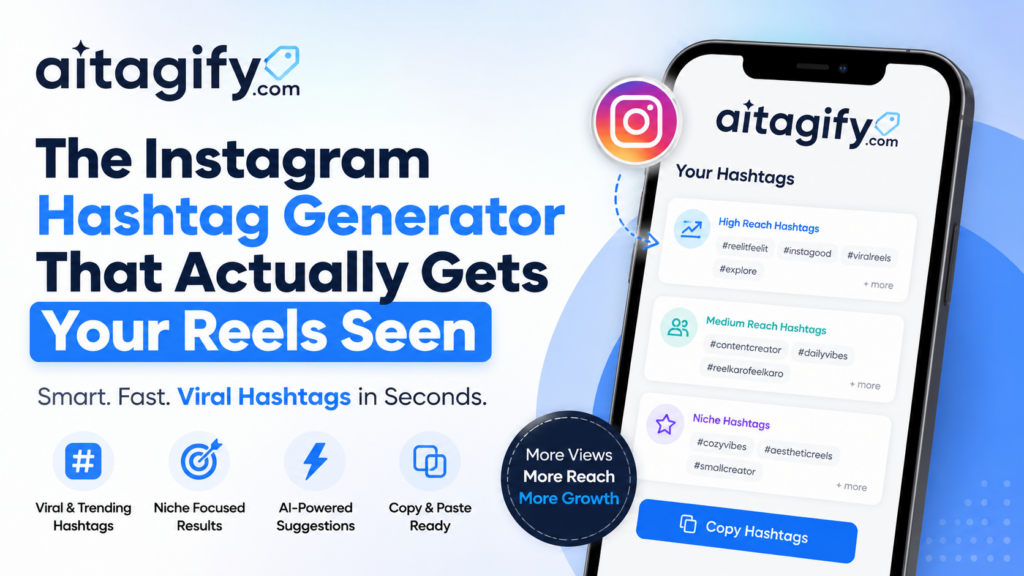
The practical move is to mix both. Use two or three trending tags that fit your post, then fill the rest of your tag set with evergreen and niche tags. That way you catch the short-term surge without betting everything on a tag that might be dead by tomorrow. AITagify’s Instagram Hashtag Generator – Trending Tags Free tool shows you which tags are moving right now, so you can spot the surge before you publish instead of guessing after the fact.
One thing people get wrong: trending does not mean relevant. A tag can be exploding and still be useless for your content. If you run a baking account, jumping on a trending gaming tag just puts your post in front of people who won’t engage. That hurts your ranking on the tag page because Instagram watches how quickly people scroll past. Trending helps when the tag matches your niche. Otherwise it’s noise.
How Instagram Ranks Hashtag Content
Instagram sorts hashtag pages by a few signals, and recency sits at the top. A post from two minutes ago usually outranks one from two days ago on a trending tag, which is why timing matters more than most creators think. Post when your audience is actually scrolling, not when it’s convenient for you.
Engagement velocity is the second signal. Instagram watches how quickly likes, saves, shares, and comments arrive in the first hour. A post that gets 50 interactions in 20 minutes signals relevance far louder than one that gets 200 over a week. Saves carry extra weight because they tell the algorithm people want to come back to your content.
Relevance comes from how well your caption, alt text, and visual content match the hashtag itself. Using Instagram Hashtag Generator – Trending Tags Free helps here because it suggests tags that actually line up with your niche instead of generic ones that confuse the ranking system. When your post clearly belongs on a hashtag page, Instagram keeps it visible longer.
Account authority is the quiet signal. Accounts with consistent engagement history and a track record of content that performs well on specific tags get a slight ranking boost. New accounts aren’t punished, but they have to prove relevance faster. The practical takeaway: pair a few trending instagram hashtags with niche tags you can realistically rank for, post when your audience is active, and front-load quality so the first hour does the heavy lifting.
Where to Find Trending Hashtags Before They Peak
Most creators find trending instagram hashtags after they’ve already gone stale. The trick is catching them while they’re still climbing. Instagram gives you several free signals if you know where to look, and none of them require a paid tool.
The Explore page is the most obvious starting point. Tap the magnifying glass and scroll past the first few rows of polished content. The posts sitting slightly below the surface, the ones with a few hundred likes instead of tens of thousands, often carry tags that are still gaining momentum. When you tap a post and see a hashtag you don’t recognize, tap through to its tag page. The ratio of recent posts to total posts tells you a lot: a tag with 50,000 posts but a fresh feed moving every few minutes is climbing faster than a tag with 2 million posts and a slow trickle.
Reels audio trends work the same way. When a sound starts spreading, creators attach hashtags to ride the wave. Open the audio page for a trending sound and scan the captions on the first ten Reels. You’ll usually spot two or three tags repeating across different accounts. Those are worth testing before the audio peaks.
Competitor posts are a quieter source. Pick three accounts in your niche that consistently outperform you. Open their last five posts and note every hashtag they use. You’re not copying their strategy wholesale. You’re building a watchlist of tags that already work for your audience, then checking which ones are still growing when you post.
Niche communities hide rising tags in plain sight. Facebook groups, Discord servers, and Reddit threads for your topic often discuss new challenges or trends days before they hit the main feed. A tag that’s only mentioned in a small group today can be everywhere by Friday.
Instagram’s own search suggestions are the fastest signal of all. Type a root word into the search bar and watch what autocompletes. The suggestions update constantly based on real search volume, so a tag that appears today but wasn’t there last week is already moving. Pair that with the Instagram Hashtag Generator – Trending Tags Free tool to see related tags and volume data in one place, and you’ll spot the climbers before your competitors do.
How to Find Trending Hashtags with a Generator
Manual searching works, but it’s slow. A Instagram Hashtag Generator – Trending Tags Free tool pulls the same data in seconds, and that’s where most of our team’s research actually happens. We start with one seed keyword, something like “sourdough” or “trail running,” and let the tool expand it into a full tag set.
The generator surfaces two things at once. First, it shows popular instagram hashtags that already have massive reach, the ones with millions of posts. Second, it digs up niche tags with smaller but more engaged audiences. That mix matters because a post tagged only with giant hashtags gets buried fast, while niche tags keep it visible to people who actually care.
Here’s the workflow we use. Type the seed keyword into the generator. Copy the trending tags it returns into a shortlist. Then run a quick reach check on each one, looking for tags between 10,000 and 500,000 posts for the best balance of visibility and competition. The tool does that filtering automatically, which saves a solid twenty minutes per post.
One thing to watch: don’t reuse the same thirty tags on every post. Instagram’s algorithm reads repeated tag sets as spammy behavior. We rotate through two or three generated sets per week, keeping the core five tags stable and swapping the rest. That keeps the account healthy while still hitting trending instagram hashtags as they peak.
Instagram Hashtag Research: Building a Balanced Tag Set
Good instagram hashtag research isn’t about grabbing 30 tags and hoping. It’s about building a mix that gives your post a real chance in several different pools at once. Most accounts do best with a blend of large, medium, and small tags, weighted toward the ones you can actually rank for.
Large tags, the ones with 500,000 posts or more, move fast. Your post can disappear from the recent tab in minutes, which means they only help if you already have strong engagement velocity. Medium tags, roughly 50,000 to 500,000 posts, are where most established accounts find their sweet spot. Small tags under 50,000 posts are easier to rank in, and ranking there builds the early engagement that pushes you into the bigger pools.
That’s why 30 tags is rarely optimal. Instagram allows up to 30, but filling all 30 with giant tags like #love or #instagood just buries you. A tighter set of 8 to 15 well-chosen tags usually performs better because each one is doing a specific job. Think of it as three layers: two or three large tags for reach potential, five to eight medium tags for realistic ranking, and three to five small tags where you can actually win.
Match the mix to your account size. A brand-new account with 200 followers won’t rank in a 2 million-post tag, so loading up on those wastes slots. Instead, lean into small and medium tags where your content can sit near the top. A 50,000-follower account can afford more large tags because its engagement arrives faster after posting.
Content type matters too. A Reel about a recipe should use tags like #easyrecipes and #30minutemeals, not generic tags like #food. Specific tags attract people who actually want what you posted. When you use a hashtag generator instagram tool, it can sort tags by size and relevance so you’re not guessing which bucket each one falls into.
One practical rule: check the top posts for any tag you’re considering. If the top nine posts all have tens of thousands of likes from huge accounts, you probably won’t crack that tag yet. If you see smaller accounts in the top posts, that’s a tag worth keeping.
Popular Instagram Hashtags vs. Niche Hashtags
Popular instagram hashtags like #love, #instagood, and #photooftheday pull in millions of posts every day. That sounds like a huge audience, but it’s also a crowded room. Your post can disappear from the Recent tab in seconds, buried under a flood of new uploads. For a small account, those broad tags rarely deliver meaningful reach.
Niche hashtags work differently. A tag like #sourdoughbakers or #brooklynplantstylist might only have a few thousand posts, but the people browsing it are actually looking for that content. They follow the tag, they engage with it, and they’re more likely to save or share what they find. That’s why smaller accounts often see better conversion from niche tags than from the big generic ones.
The sweet spot is usually a mix. Use two or three popular instagram hashtags for visibility, then fill the rest of your tag set with mid-size and niche options. A good rule of thumb: if a tag has over a million posts, your post needs strong engagement within the first hour to stay visible. If it has under 50,000, you have a realistic shot at landing in the Top posts section.
When you’re doing instagram hashtag research, check the post count and the recent engagement on each tag before you commit. A tag with 20,000 posts but zero recent activity is dead weight. A tag with 80,000 posts and fresh uploads every few minutes is alive and worth testing. AITagify’s Instagram Hashtag Generator – Trending Tags Free tool can help you spot that difference quickly, pulling tag suggestions that match your account size instead of just handing you the biggest names.
One more thing: niche tags change fast. A tag that worked last month might be quiet now. Recheck your set every couple of weeks and swap out anything that’s gone stale.
Common Hashtag Mistakes That Kill Reach
Most reach problems come down to five fixable habits. Banned tags are the worst offender. Instagram quietly blocks certain hashtags because they attracted spam or policy violations, and any post using one gets suppressed from that tag’s feed entirely. You won’t see a warning. The fix is simple: before you publish, check each tag by searching it on Instagram. If the results page says posts are hidden, drop it.
Irrelevant tags feel harmless but they train the algorithm wrong. A food blogger tagging #fitness just because it’s big confuses the system about who should see the post. The people who do see it won’t engage, and the algorithm reads that silence as a quality signal. Match every tag to what’s actually in the image or video.
Tag stuffing is the second habit that looks like effort but isn’t. Instagram allows up to 30 tags, but using all 30 on every post doesn’t help. A focused set of 8 to 15 relevant tags usually performs better because it signals clarity. AITagify’s Instagram Hashtag Generator – Trending Tags Free tool helps you build that tighter set without the guesswork.
Reusing the same set on every post is lazy and it caps your reach. Instagram’s algorithm notices repetition and may treat it as spammy behavior. Rotate your tags based on the specific post, the location, and what’s currently trending. A small swap of three or four tags per post keeps your account looking organic.
Ignoring search intent is the quiet killer. People use hashtags to find specific things: a tutorial, a recipe, a product review. If your tag says #veganrecipes but your post is a restaurant review, you’ll get clicks but no saves or follows. Think about what someone typing that tag actually wants to see, and only use it when your post delivers that.
How to Test and Audit Your Hashtag Performance
Instagram Insights shows you exactly how many impressions came from hashtags on each post. Open the post, tap View Insights, and swipe up to see the breakdown. The number under “From Hashtags” tells you whether your tag set pulled weight or just sat there. Compare that figure against your follower-only reach. If hashtags drove under 10% of impressions on a post that normally does better, your tags were too broad or too crowded.
Don’t judge a single post in isolation. Look at five or six recent posts together. Which tags keep showing up in the top-performing ones? Those are keepers. Which tags appear on posts that flopped? Cut them. AITagify’s audit tools make this faster by scanning your recent posts and flagging tags that consistently underperform, so you’re not eyeballing spreadsheets. The Free Instagram Hashtag Reach Checker & Bio Audit also checks whether your bio and recent captions are pulling from the same tag families, which keeps your profile signal consistent.
Run this audit every two weeks. Swap out the bottom third of your tag set and keep the middle performers for one more cycle. Trending instagram hashtags move fast, so a tag that worked last month can quietly die. The audit loop catches that before your reach drops noticeably.
A Simple Weekly Hashtag Workflow
Fifteen minutes on a Monday morning is enough to keep your hashtag strategy fresh. I block the same slot every week because consistency beats intensity here. The routine has four steps: research, generate, post, review. Once you’ve done it twice, it becomes automatic.
Start with research. Open Instagram and check the accounts you follow in your niche. What are they tagging this week? Note any recurring tags you haven’t tried. Then check the Explore page for your topic. The tags on posts that are already performing well are your signal. You’re not copying, just listening.
Next, generate. This is where AITagify fits. Paste your post idea or a short description into the Instagram Hashtag Generator – Trending Tags Free tool and let it pull a mix of trending, mid-size, and niche tags. Pick 8 to 12 that actually describe the post. Skip anything generic that doesn’t match the image or caption. The goal is relevance, not volume.
Post with your chosen set. Put the strongest two or three tags in the caption itself, then add the rest in the first comment. This keeps the caption readable while still giving Instagram the full signal. If you’re posting Reels, the same set works, but lean toward the tags that appear on other Reels in your niche.
Finally, review. Wait 48 hours, then check your insights. Which posts got the most reach from hashtags? Which tags showed up again and again? Drop the ones that never perform and keep a running note of what works. That note becomes next week’s starting point.
The whole loop takes about 15 minutes. Research takes five, generation takes three, posting takes two, and the review at the end of the week takes another five. Do it weekly and your tag set stops being a guess and starts being a system.
Frequently Asked Questions
How many hashtags should I use on an Instagram post?
Instagram allows up to 30 hashtags per post, but most accounts see better results with 8 to 15 well-chosen tags. Using fewer, more relevant tags keeps your content in the right discovery pools without looking spammy. Test different counts and watch your reach from hashtags in post insights.
Do trending Instagram hashtags actually increase reach?
They can, but only when the post matches the tag’s intent. A trending hashtag with millions of posts moves fast, so your content may get buried quickly. Pair one or two trending tags with several mid-size and niche tags for the best balance of visibility and staying power.
How do I find trending hashtags for my niche?
Start with Instagram’s search bar and type a keyword related to your content. The autocomplete suggestions show related tags and their post counts. Then check what tags creators in your niche are using on recent high-performing posts. A dedicated hashtag generator can speed this up by suggesting relevant combinations.
Should I use the same hashtags on every post?
No. Instagram may limit your reach if you repeatedly use identical tag sets, because it looks like spam. Rotate between three or four tag groups that fit your content pillars. Keep a spreadsheet of your best-performing tags and refresh it weekly based on what’s actually driving impressions.
Are popular Instagram hashtags better than niche ones?
Not necessarily. Popular tags have huge audiences but intense competition, so your post disappears in minutes. Niche tags have smaller reach but higher engagement rates because the audience is more targeted. A mix of both usually performs best, with most of your tags in the 10k to 500k post range.
Can I use trending hashtags in Instagram Stories?
Yes. You can add one hashtag sticker or up to 10 hashtags in text form to a Story. Tagged Stories can appear in hashtag search results and on the hashtag’s Story page. Use one or two relevant tags per Story rather than filling the screen with them.

Leave a Reply